Why Generate Your Seed Phrase with Dice?
Your Bitcoin seed phrase is the master key to your funds. Whoever controls the seed phrase controls the Bitcoin. Generating entropy with physical dice lets you supply and observe the randomness yourself instead of relying only on a device's internal random-number generator.
The Numbers Behind BIP39
What You'll Need
| Seed length | Entropy | SeedSigner D6 input | Practical rule |
|---|---|---|---|
| 12 words | 128 bits + checksum | 50 rolls | At least 50 fair rolls; do not stop below 50. |
| 24 words | 256 bits + checksum | 99 rolls | Use the full 99 rolls requested by SeedSigner. |
Page updated September 16, 2026
Step-by-Step Guide
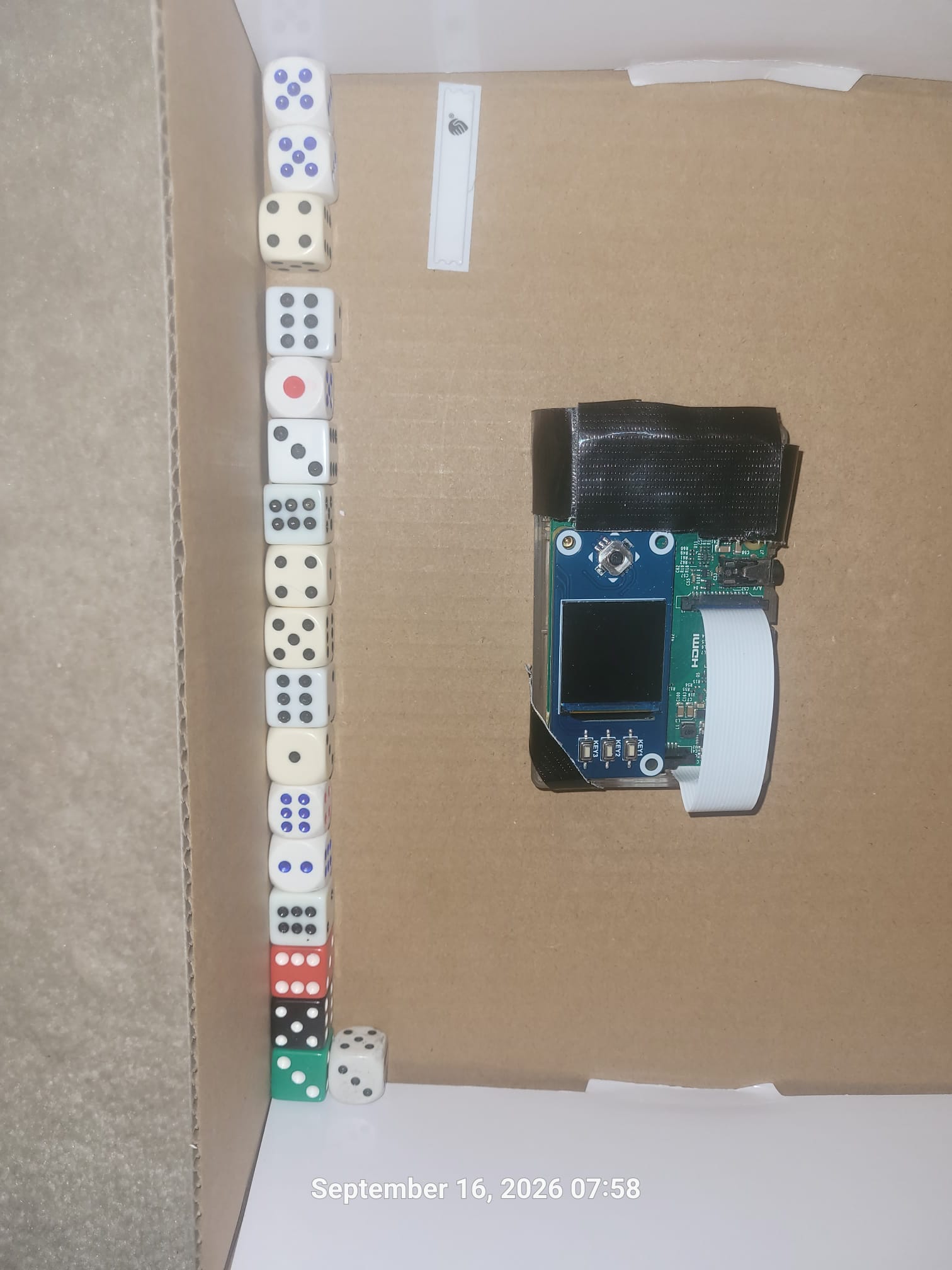
Gather ordinary six-sided dice, the lidded mixing box, paper and pencil, and either your SeedSigner or offline computer. Work away from windows, cameras, phones, smart speakers and other people.
- Disconnect Ethernet and disable Wi-Fi and Bluetooth on the computer
- Prefer battery power for the SeedSigner; do not connect it to a computer
- Cover or remove cameras that can see the work area
- Decide before starting: 12 words (50 rolls) or 24 words (99 rolls)
Place the ordinary D6 dice in the box, but remove the SeedSigner first. Close the lid securely. Shake, rotate and turn the box upside down many times, then set it down flat and open it without disturbing the dice.
- Read the dice in one consistent order, such as top-to-bottom and left-to-right
- Record every result exactly; never replace a result you do not like
- If a die is cocked or unreadable, define your reroll rule in advance and apply it consistently
Write each result as a digit from 1 through 6, in order. Repeat the mixing process until you have 50 rolls for 12 words or 99 rolls for 24 words, following the count displayed by SeedSigner.
Using many dice at once is fine—the important points are thorough mixing, a consistent reading order and an accurate sequence. Double-check the count before entering it.
On the air-gapped SeedSigner, choose the seed-generation option for dice rolls, select 12 or 24 words, and enter the D6 results in their exact order. SeedSigner converts the entropy and displays a valid BIP39 phrase with the checksum already included.
Carefully copy every word and its position. Confirm the final count and spelling before moving on. Keep the camera pointed away from the written seed except when a trusted workflow specifically requires it.
For stronger isolation, first obtain the official standalone Ian Coleman BIP39 release and verify it before moving it to the offline computer. Open the saved HTML file locally, select dice entropy, enter the complete D6 sequence, and let the tool generate the 12- or 24-word phrase with its checksum.
Important: the project also has a live webpage, but merely loading it and then unplugging the network is weaker than using a verified standalone copy on a computer kept offline. Never type real dice entropy or a valuable seed into the live online page.
On a dedicated offline computer, open Sparrow Wallet and start a new wallet. Choose Software Wallet → Mnemonic Words (BIP39), select 12 or 24 words, and enter the phrase in order. Sparrow will display “Valid checksum” when the words and order form a valid BIP39 mnemonic.
For checksum checking only, stop before creating or saving the wallet. Never enter a valuable seed into Sparrow on your normal internet-connected computer. A valid checksum detects many typing or ordering errors, but it does not prove that the seed was generated secretly or randomly.
Transfer the final 12 or 24 words to a durable backup. Metal is more resistant than paper to fire, water and decay. Then restore the seed in a controlled offline test and compare the wallet fingerprint or several receive addresses before sending meaningful funds.
- Stamp or engrave the words in numbered order
- Store the backup in a secure, private location
- Consider a second backup stored in a geographically separate location
- Never photograph, email, scan or upload the seed
- Destroy the temporary dice-roll notes only after recovery is verified
Number Every Word in the Correct Order
The layout below illustrates numbered positions only. In BIP39, checksum bits are included within the final word; the final word is not made entirely of checksum bits.
Example only — never use a seed phrase you did not generate yourself.
Security Considerations
Ordinary six-sided dice are suitable when they are mixed thoroughly and enough results are used. Inspect them for obvious damage or identical repeated behaviour. Use every readable result exactly as rolled.
Remove phones from the room. Unplug Ethernet and disable Wi-Fi and Bluetooth before exposing dice entropy or seed words. A trusted live operating system can reduce traces, but you must still keep networking off and verify the software beforehand.
Never photograph your seed phrase, word list, or working notes. Smart TVs, laptops with cameras, and phones all present risk. Cover or remove any camera that points toward your workspace.
Destroy temporary dice-roll notes only after you have made the permanent backup and successfully tested recovery. Use a safe destruction method appropriate to your location; do not leave readable notes in recycling or rubbish.
Paper can degrade, burn, flood or fade. Stamp or engrave seed words into stainless steel or titanium and keep the backup private. If you use a safe-deposit box, consider legal access, privacy and what happens after death.
No legitimate wallet, exchange, support team, or person will ever need your seed phrase. Anyone who asks for it is attempting to steal your Bitcoin. There are no exceptions.
Disclaimer
This page is educational information, not financial, legal, tax or individualized security advice. Self-custody is unforgiving: one exposed, lost or incorrectly recorded seed can cause permanent loss. Software, firmware and procedures can change, so verify current instructions from the official SeedSigner, Ian Coleman and Sparrow Wallet sources before using real funds.
Practice first with a test wallet and a small amount. Never use any example words shown on a website, and never reveal your seed phrase to Ted Lee, a wallet company, an exchange, “support,” or anyone else.
Additional Resources
- Official BIP39 Specification — Bitcoin GitHub The original BIP39 proposal defining the mnemonic code standard for generating deterministic keys.
- SeedSigner — Official GitHub Repository Source code, releases and documentation for the air-gapped SeedSigner project.
- Ian Coleman BIP39 — Official Standalone Release Download and verify the standalone HTML in advance, then run it locally on an offline computer.
- Sparrow Wallet — Official Quick Start Guide Shows BIP39 word entry and Sparrow's “Valid checksum” confirmation.
- BIP39 English Word List — Bitcoin BIPs Repository The standard 2,048-word English list referenced by BIP39 implementations.
Self-custody is not just a technical skill — it is a philosophy. Maple Bitcoin School helps Canadians understand not just how to hold Bitcoin, but why it matters. Free trial available.
- Click the link below to open the signup page.
- Create your account using your email and a secure password.
- Confirm that Ted Lee invited you appears in the referral field.
- Complete registration to access your free trial period.
Referral code: https://www.skool.com/maplebitcoin/about?ref=fe87c0c46c0e412aa2a6397f5e3c2d5a
Join Maple Bitcoin School →🍁 Your Keys. Your Bitcoin. Your Freedom.
Not your keys, not your coins. Carefully generated dice entropy is one strong self-custody option when paired with verified offline tools, tested recovery and disciplined backup security.
Learn More at Maple Bitcoin School →